

Built on Legacy. Designed for Today.
Simplify your field labor management.
mJob Essentials brings three decades of powerful construction software expertise to small and mid-sized contractors with one simple, streamlined platform.
No credit card required Cancel anytime
BUILT FOR THE JOBSITE
Founded in 1994, mJobTime has been developing custom software solutions that construction companies rely on every day. Our deep roots in the industry mean we understand the challenges of the field better than anyone.
mJob Essentials brings that proven experience to growing contractors. No bloat. No complexity. Just the features you need to run your jobs effectively.

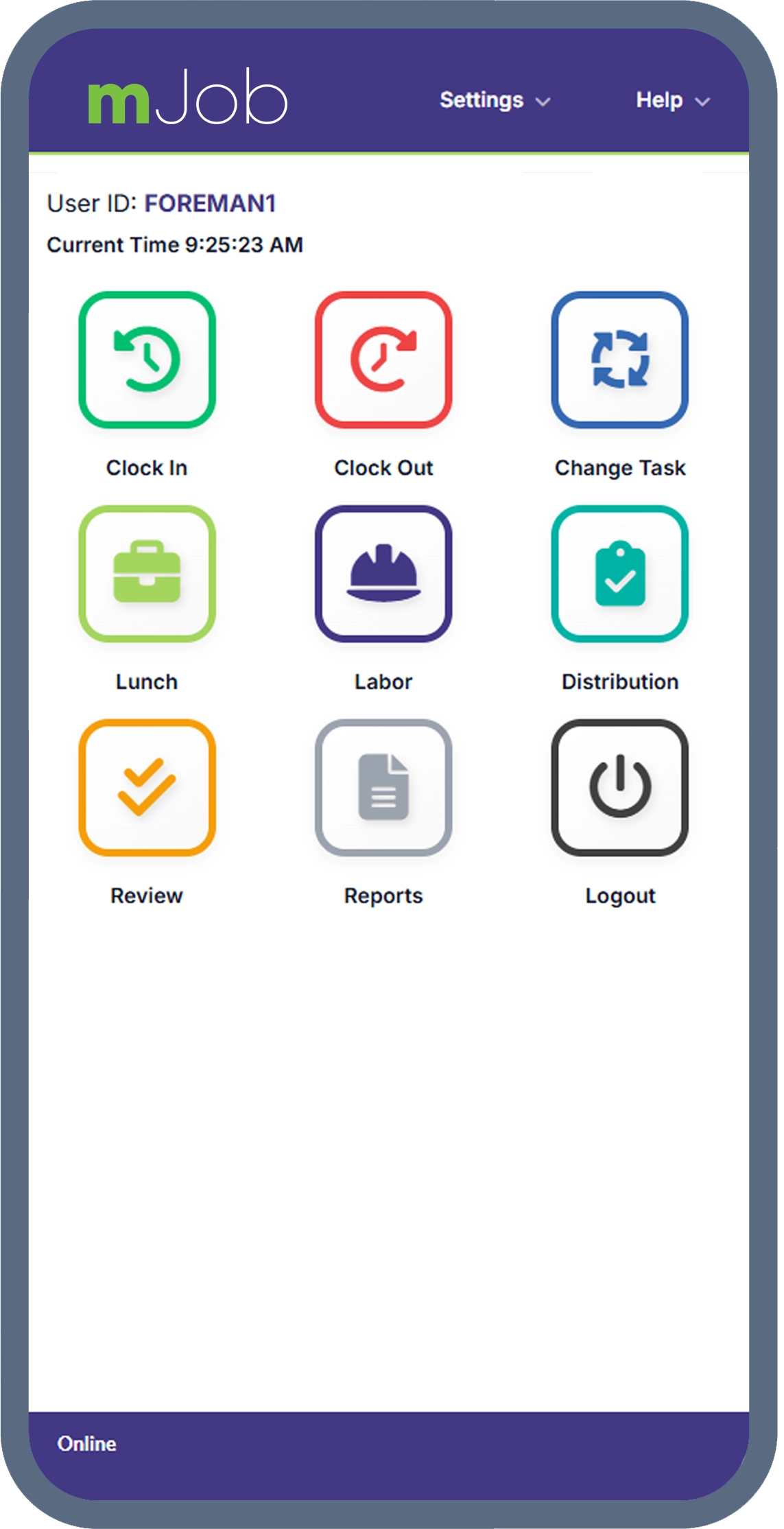
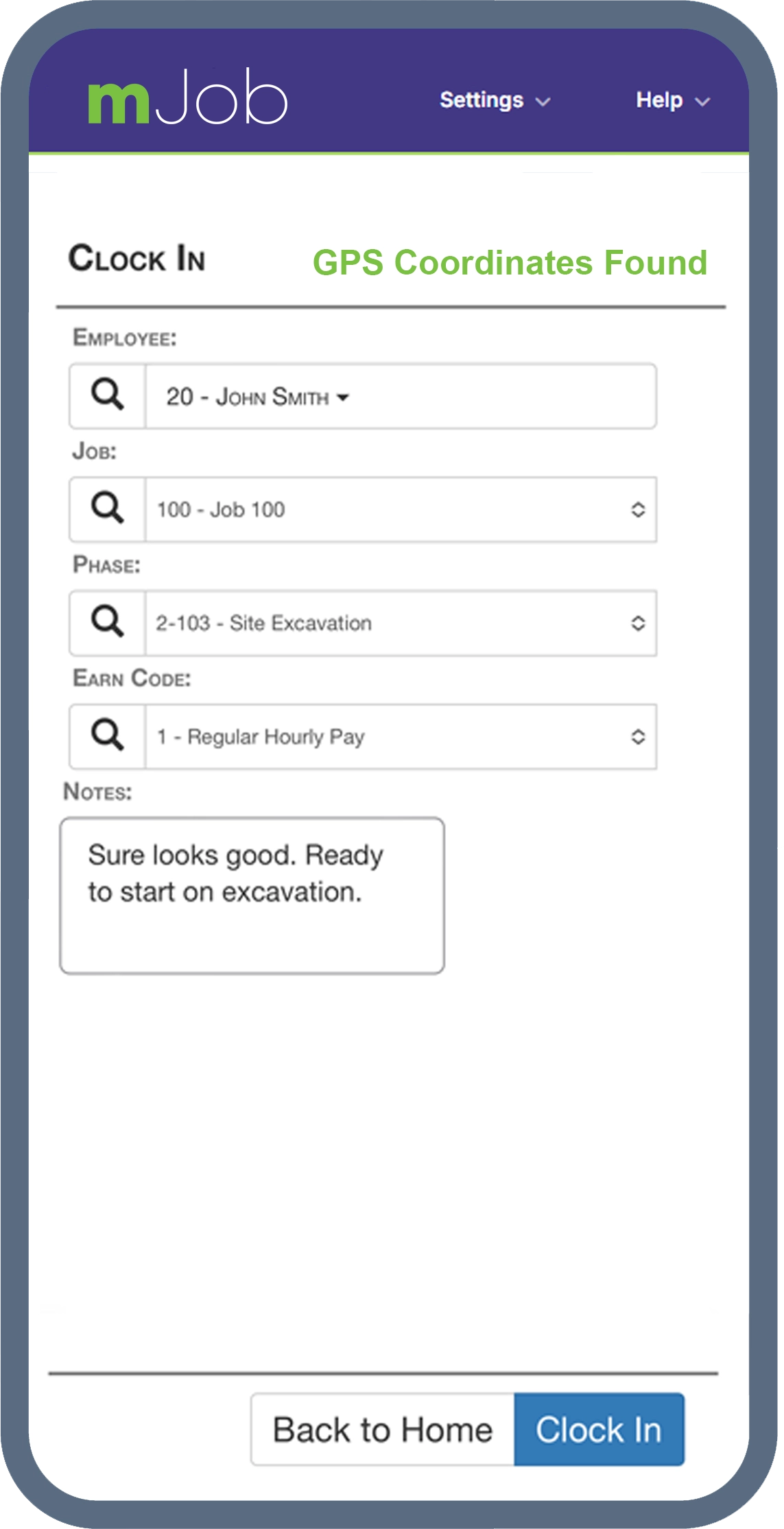
Real-Time Clock In, Clock Out & Change Task
Put the power of instant workforce management right in the hands of your foremen and field workers. Our mobile app makes real-time tracking effortless.
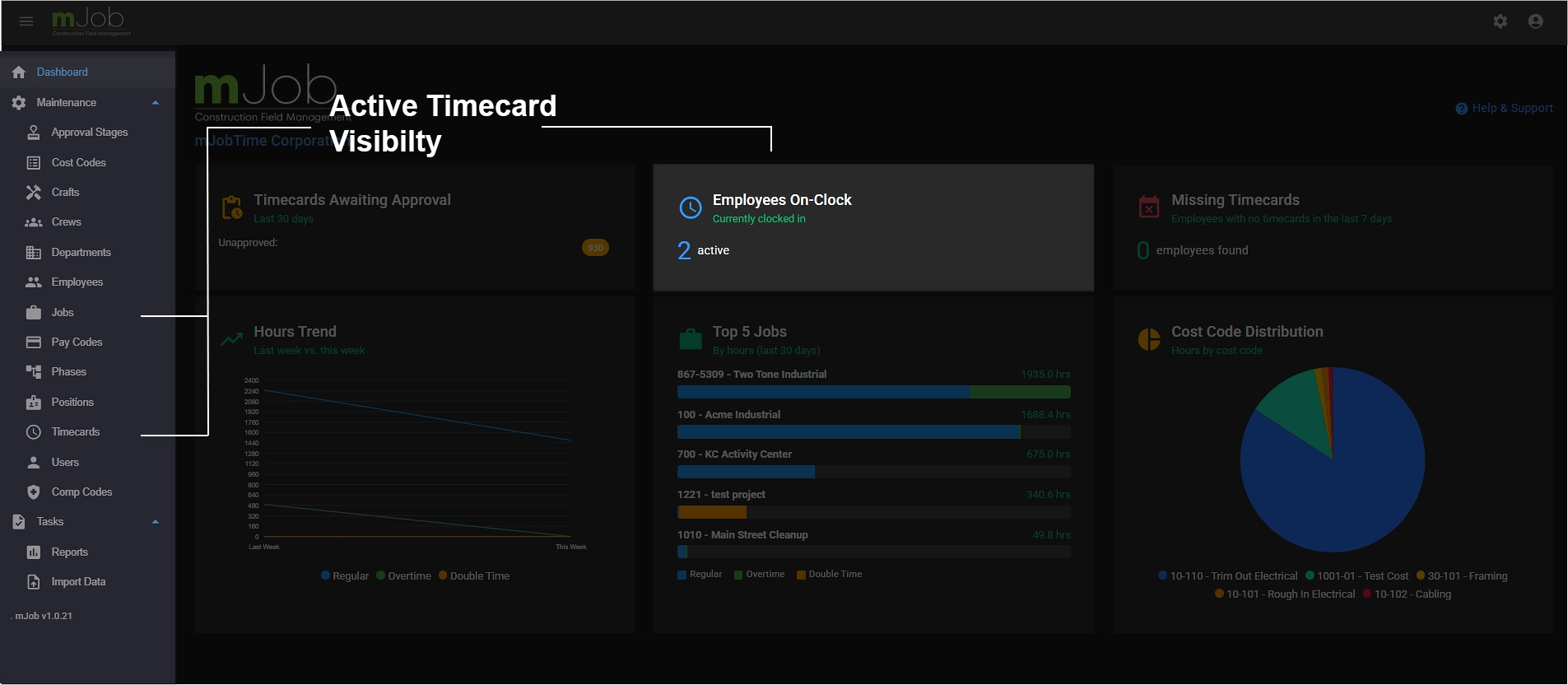
- ✓Instant Visibility: Get a live view of every employee currently on the clock, updating in real-time.
- ✓Task Switching: Employees can change jobs, phases, or cost codes seamlessly without clocking out and back in.
- ✓Offline Mode: Keep tracking even without a signal; data syncs automatically when connection is restored.
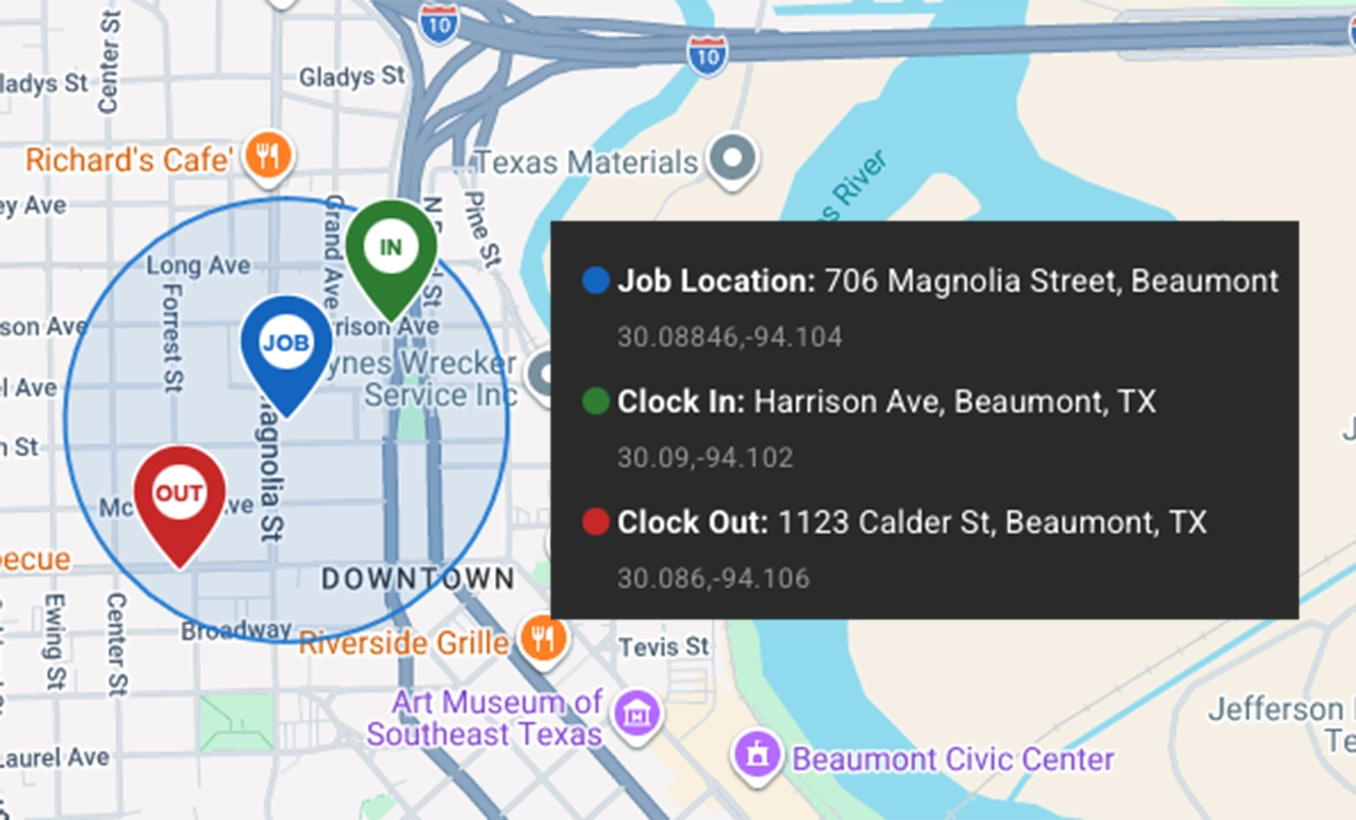
GPS Geofencing
Ensure accuracy and accountability without micromanaging. Automatically verify on-site attendance the exact moment a punch is recorded.
- ✓Radius Alerts: Set custom perimeters for jobsites and get alerted if crews clock in outside the zone.
- ✓GPS Breadcrumbs: Location data is securely stamped on every time record for ironclad audit defense.
- ✓Eliminate Guesswork: Know exactly where your labor dollars are being spent across multiple projects.
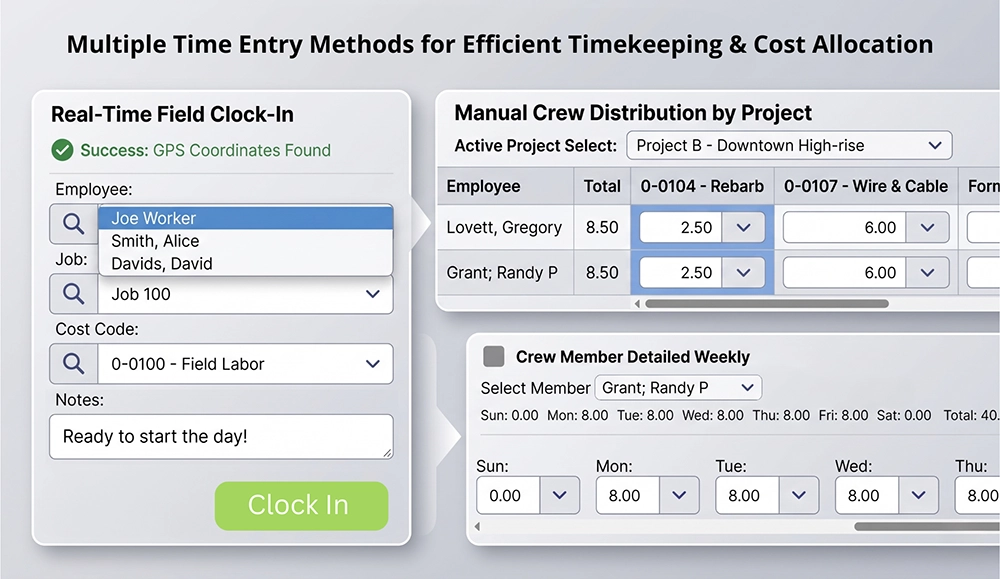
Flexible Crew Entry Methods
Clock out one or many—instantly. Whether you are managing three guys or thirty, we provide the flexible entry screens your foremen need to work quickly.
Labor Law Compliance
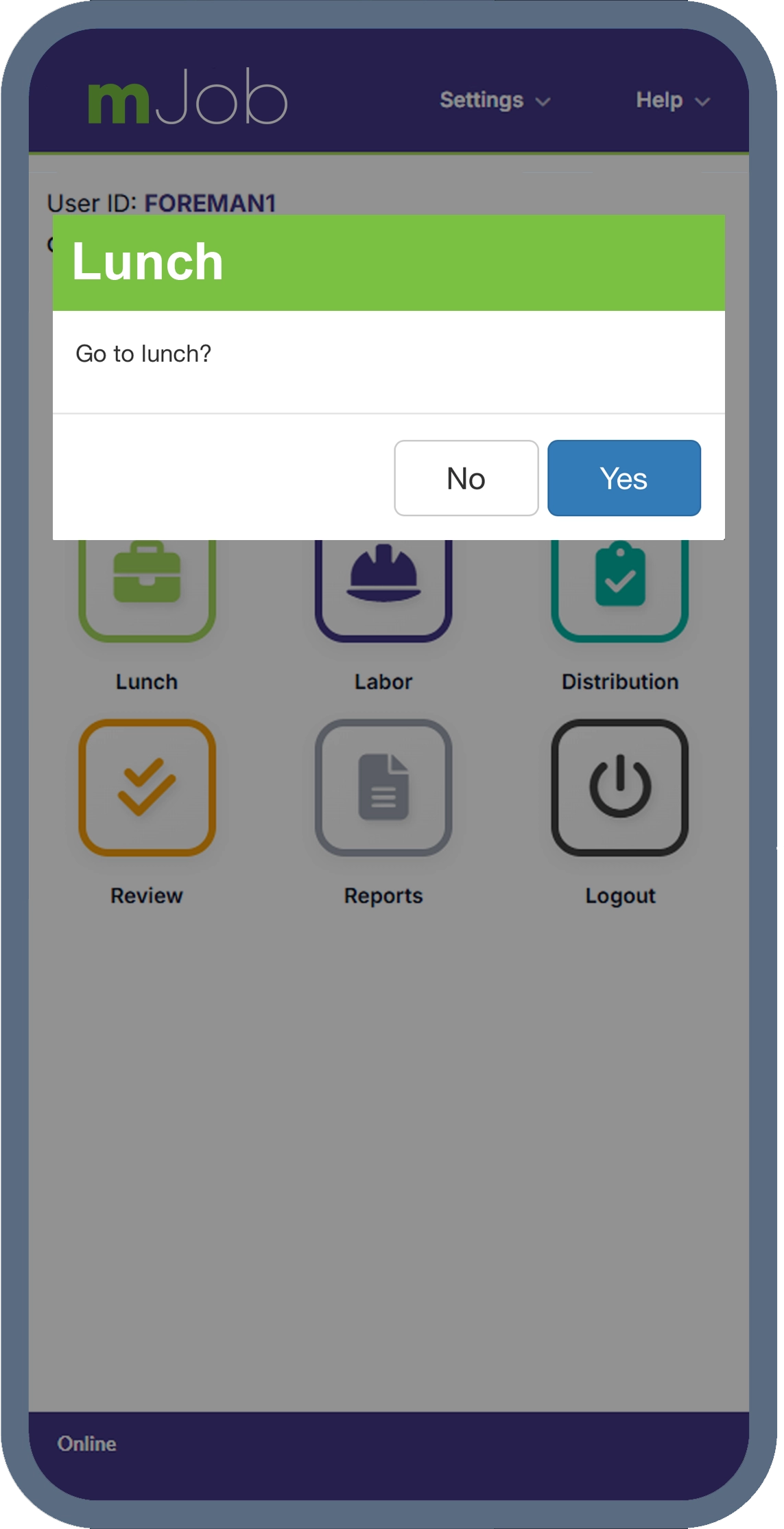
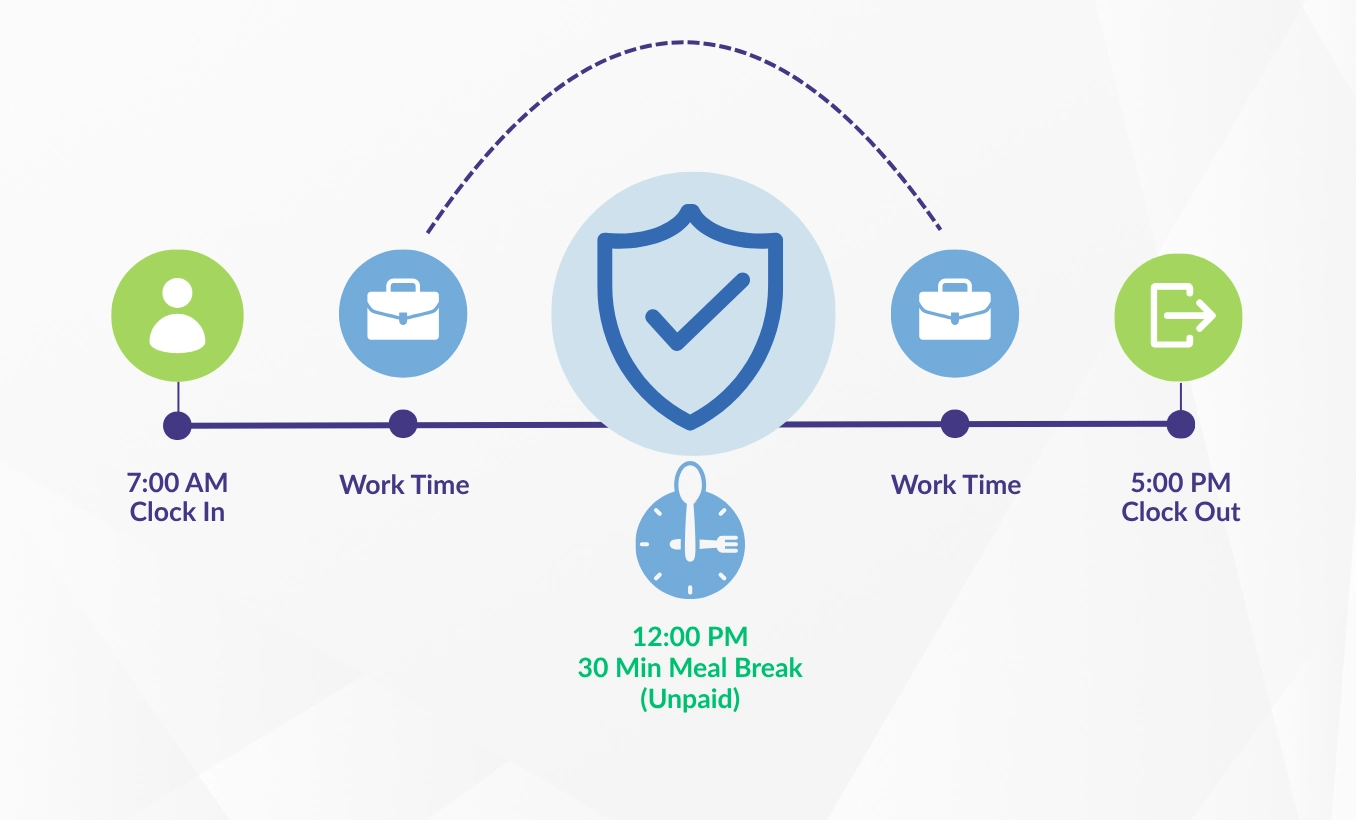
Take the guesswork out of compliance. mJob Essentials acts as your digital safeguard against costly labor disputes and missed break penalties — including the strict requirements of California labor law.
- ✓Lunch Break Automations: Auto-deduct breaks after a specific number of hours or at scheduled times.
- ✓California Compliance: Built-in support for California's meal and rest break rules, including 30-minute lunch enforcement and second meal period requirements.
- ✓Exception Handling: Scope rules to specific jobs or crews, and flag individual employees as break-exempt.
- ✓Audit-Ready Records: Maintain a flawless, timestamped history of all labor interactions to protect your business.
Time Automation Rules
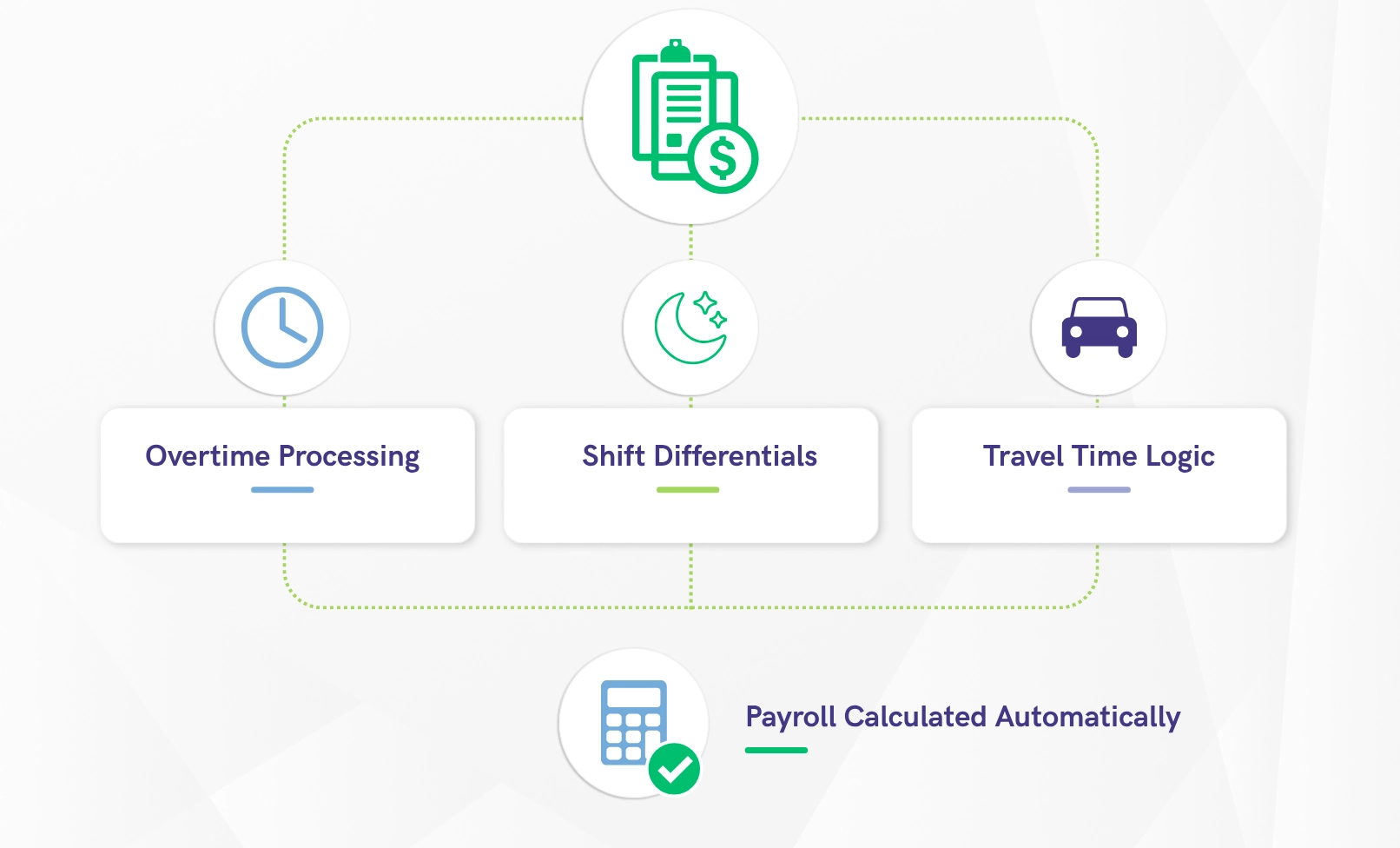
Stop manual payroll math. Create custom processing rules that run automatically before your data ever reaches the accounting system.
- ✓Overtime Processing: Automatically calculate daily, weekly, or double-time based on state or union policies.
- ✓Shift Differentials: Apply premium pay rules seamlessly for night shifts or hazardous work.
- ✓Travel Time Logic: Set standard rounding and grace period settings to ensure pay accuracy.
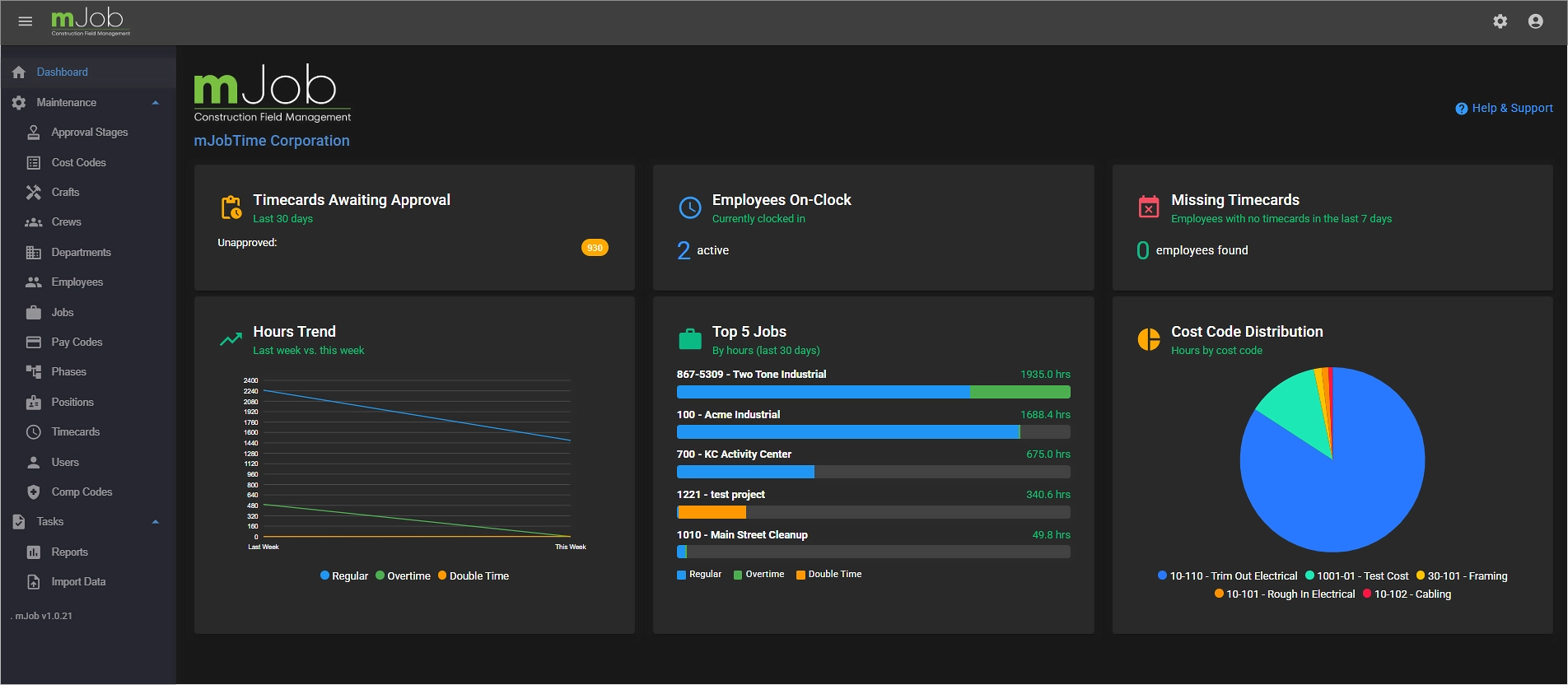
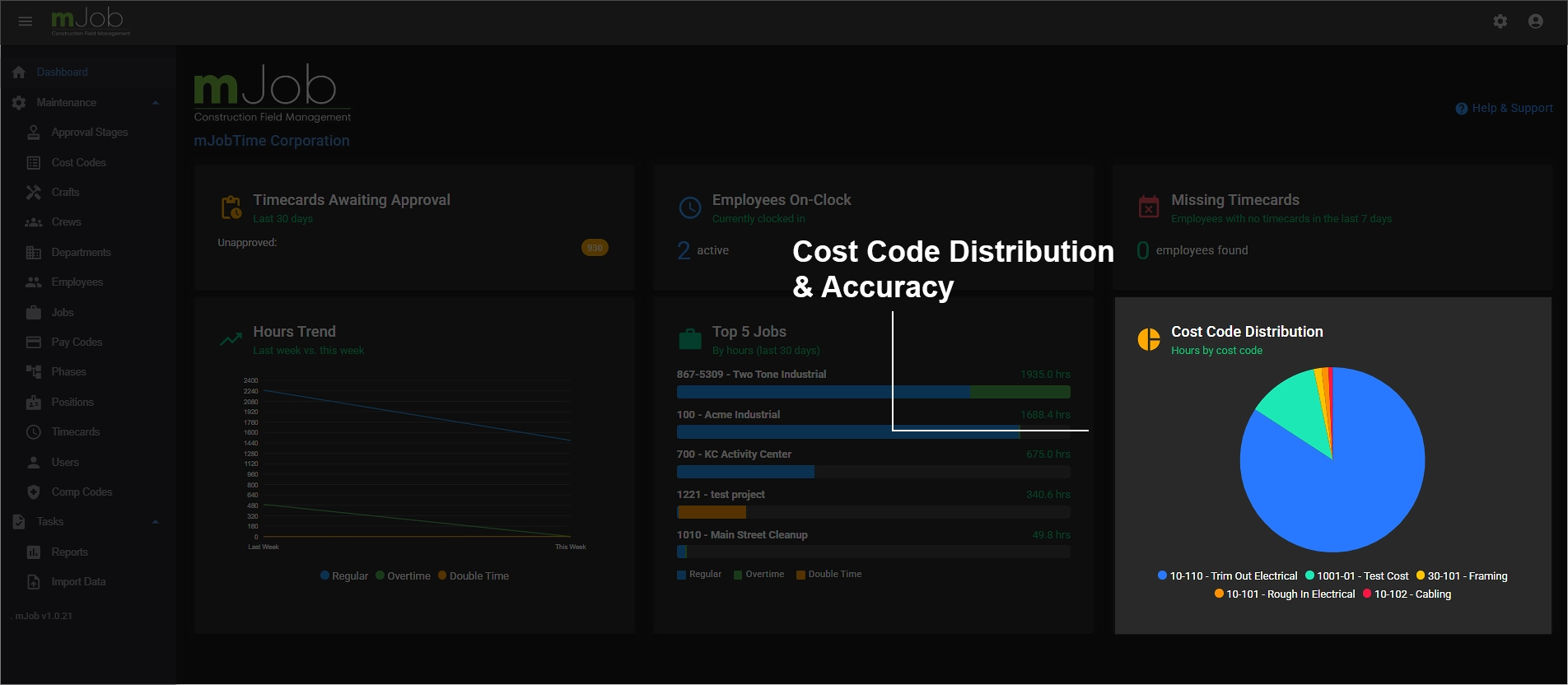
Essentials Control Dashboard
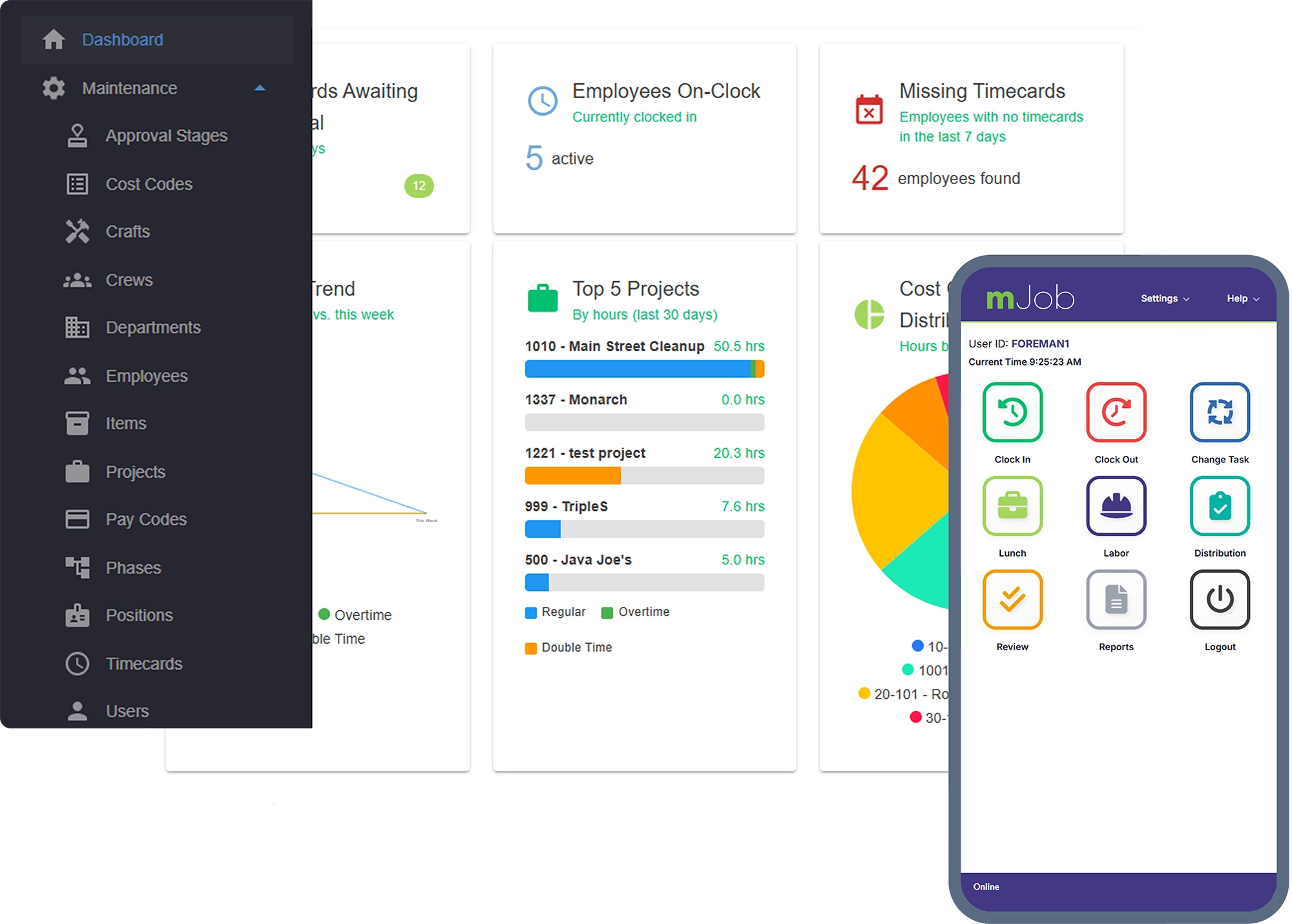
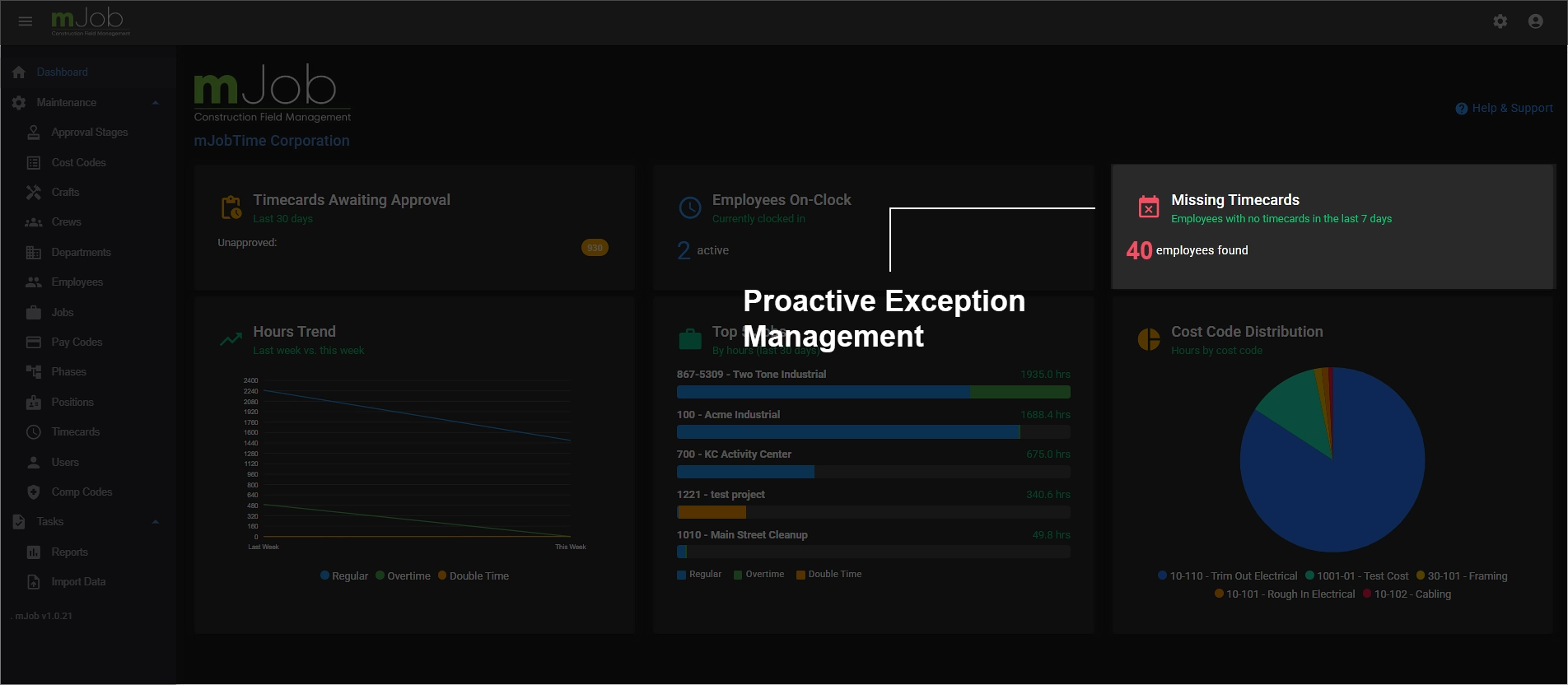
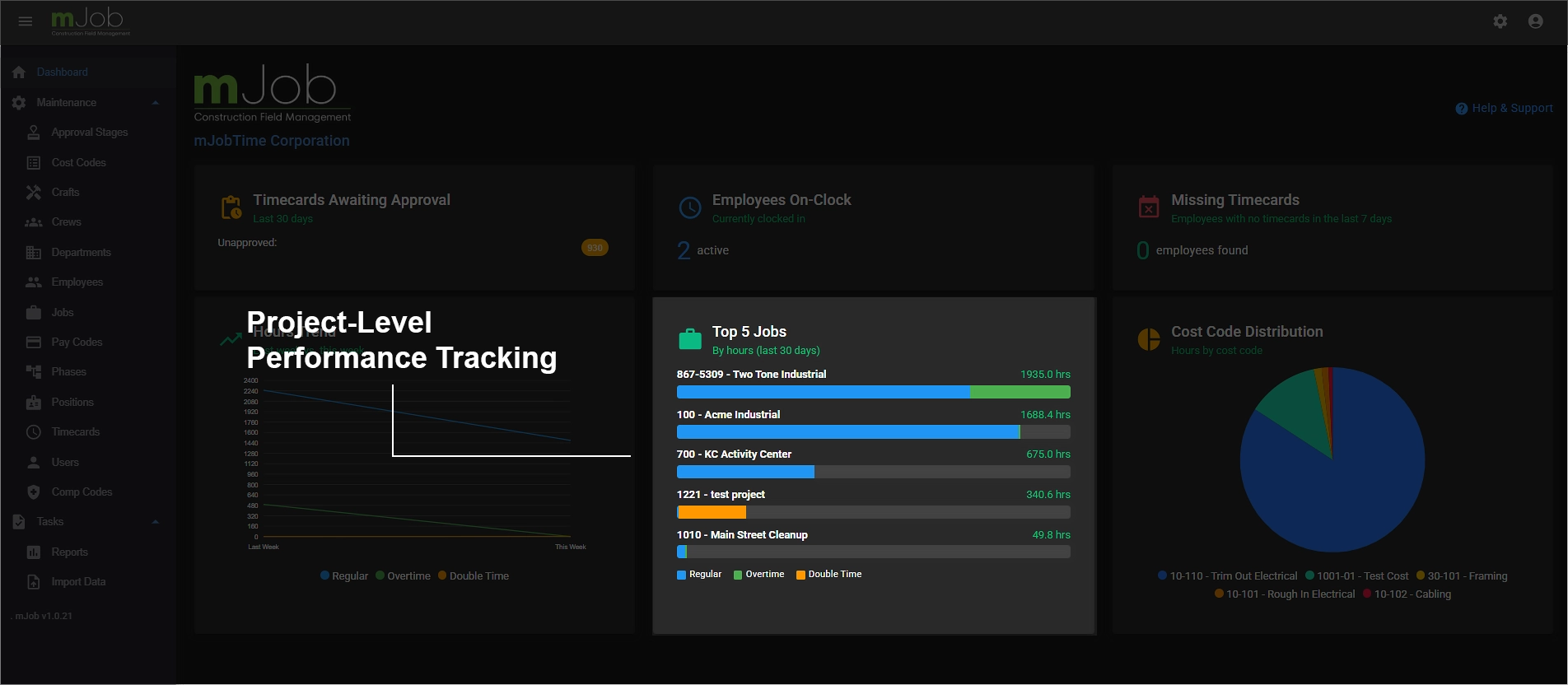
Your command center for workforce management — delivering a real-time snapshot of field activity the moment you log in. No digging through menus, no running reports. The most critical information is right there, front and center.
Everything you need, nothing you don't
We've stripped away the complexity to focus on high-accuracy labor management for construction teams.
Reliable results for the jobsite
What contractors say about mJobTime
"The automation rules changed everything. Our shift differentials are now calculated instantly, saving us hours of manual math every Monday."
"The GPS tracking gave us the visibility we were missing. We know exactly who is on-site and we've completely eliminated payroll guesswork."
"Staying compliant with California meal break laws used to be a nightmare. mJob Essentials automates those alerts so we stay protected."
Frequently asked questions
What is mJob Essentials?
mJob Essentials is our streamlined plan focused on high-accuracy labor management. It includes flexible field time entry, GPS geofencing, labor law compliance tracking, and time automation rules — perfect for teams that need a powerful but simple solution.
How does the 14-day free trial work?
You can start your 14-day risk-free trial immediately with no credit card required. We provide a pre-loaded simulated environment so you can explore the features, and our Professional Services team will guide you through setting up your actual company data.
Does mJob Essentials work offline?
Yes. The mobile app works fully offline. Your crew can clock in and out and capture GPS data, and all information will automatically sync to the dashboard once a cellular or Wi-Fi connection is restored.
What integrations are included?
mJob Essentials integrates with major construction ERPs like Sage, Acumatica, and Viewpoint. Your automated time records can be exported directly with a single click, eliminating manual entry.