
Construction Time Tracking: A Complete Guide for Contractors

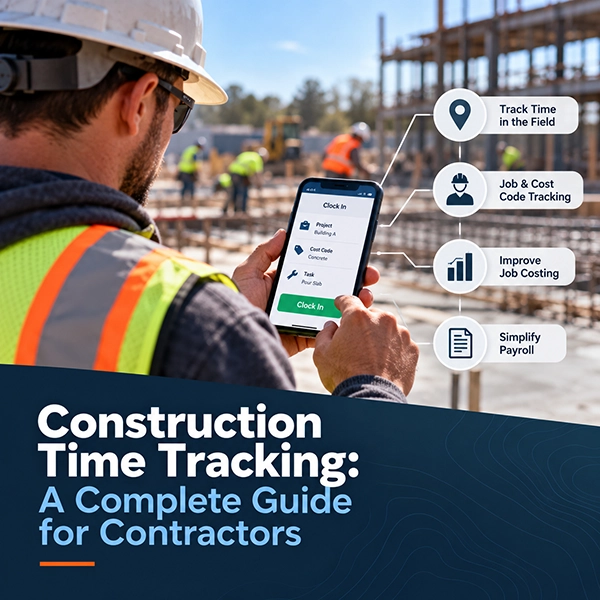
Tracking time in construction sounds simple: record when employees start work, record when they stop, and send the hours to payroll.
In reality, construction time tracking is much more complicated.
Crews move between jobsites. Employees may work on several tasks or cost codes during the same day. Supervisors need accurate labor information from the field. Payroll teams need clean time records. Project managers need to know where labor hours are being spent. And all of that information needs to make its way from the jobsite to the office without creating another pile of paperwork.
When time tracking breaks down, the problem doesn't stop with an inaccurate timesheet. It can affect payroll, job costing, project reporting, labor productivity, and ultimately project profitability.
Modern construction time tracking systems are designed to simplify that process by capturing labor information closer to where the work actually happens: in the field.
This guide explains how construction time tracking works, what contractors should track, where traditional methods fall short, and what to look for when choosing a time tracking system for your construction company.
The short answer: Construction time tracking is the process of recording employee and crew labor hours and connecting those hours to the jobs, tasks, and cost codes where the work happened. Done well, it does much more than feed payroll — it gives contractors the field data they need for accurate job costing, labor productivity analysis, and better project decisions.
What Is Construction Time Tracking?
Construction time tracking is the process of recording employee and crew labor hours and connecting those hours to the projects, tasks, cost codes, or other categories where the work occurred.
A basic system may simply record an employee's clock-in and clock-out time.
A more complete construction labor management system can capture information such as:
- Employee hours
- Job or project
- Cost code
- Work activity
- Crew assignments
- Overtime
- Breaks
- Location information
- Supervisor approvals
- Notes from the field
This creates a much more useful labor record than a simple total of hours worked.
Instead of knowing that an employee worked 10 hours on Tuesday, a contractor may be able to see how those hours were distributed across specific jobs and activities.
That information can then support payroll, job costing, productivity analysis, project management, and reporting.
Why Construction Time Tracking Is Different
Many industries can use a traditional time clock located in one building.
Construction does not work that way.
Employees may report directly to different jobsites instead of a central office. Crews may change locations throughout the week. Workers may move between activities during the day. Some projects may have limited internet or cellular service.
That creates several challenges.
Multiple Jobsites
A construction company may have crews working at several locations at the same time.
Managers need a reliable way to identify which employees are working, where they are working, and which project should receive those labor hours.
Job and Cost Code Tracking
Knowing that an employee worked eight hours is useful for payroll.
Knowing that the employee spent three hours on one activity and five hours on another is much more useful for project management and job costing.
Construction companies often need labor hours assigned to specific projects, phases, tasks, or cost codes.
Field-to-Office Communication
Paper timesheets and handwritten reports must eventually make their way back to the office.
That can create delays between when work happens and when the company can actually use the information.
Digital time tracking can help shorten that gap by moving field information into a connected system that can be used by supervisors, payroll teams, project managers, and accounting staff.
Changing Crews
Construction crews are rarely static.
Employees may be reassigned between projects or crews based on schedules, workload, weather, and job requirements.
A time tracking system built for construction needs to accommodate those changes without creating unnecessary administrative work.
Limited Connectivity
Not every construction site has dependable cellular service or Wi-Fi.
For contractors working in remote areas, an application that requires a constant internet connection can create problems.
Systems with offline construction time tracking can allow field teams to continue recording time when connectivity is limited and synchronize information when a connection becomes available.
Why Accurate Construction Time Tracking Matters
Accurate labor data affects much more than payroll.
It can influence nearly every part of a construction company's operations.
1. More Accurate Payroll
Payroll starts with accurate time records.
When companies rely on handwritten timesheets, spreadsheets, text messages, or verbal corrections, the payroll team may spend significant time reviewing and correcting information before payroll can be processed.
Digital time tracking can standardize how hours are recorded and submitted.
That can reduce manual entry and give managers an opportunity to review time before it reaches payroll.
For contractors using separate payroll or accounting platforms, construction software integrations can also help move approved field information into existing office systems without requiring the same information to be entered again.
2. Better Job Costing
Labor is one of the largest costs on many construction projects.
If labor hours are recorded only as total employee hours, contractors may know what they paid employees without knowing exactly where those labor costs occurred.
Tracking time by job and cost code provides a clearer picture.
Total Hours vs. Job-Costed Hours
Instead of seeing:
Employee A — 10 hours
A contractor could see:
Project 101 — Concrete — 4 hours
Project 101 — Formwork — 3 hours
Project 102 — Site Preparation — 3 hours
Same 10 hours — but now the labor cost lands on the right job and the right scope of work.
That level of detail can make job-cost reports far more useful.
Project managers can compare actual labor usage against estimates and identify areas where a project may be consuming more labor than expected.
Poor labor information can have consequences far beyond payroll. Learn more about how bad labor tracking can damage construction job costing.
3. Better Visibility Into the Field
One of the biggest challenges for construction companies is the distance between the office and the jobsite.
Management cannot physically be everywhere at once.
Digital field data gives the office greater visibility into what is happening across projects.
Depending on the system, managers may be able to review submitted hours, crew activity, project assignments, costs, and other field information without waiting for paper documentation to arrive.
That information can also feed into construction reporting and analytics, giving managers a clearer picture of what is happening across their projects.
4. Less Administrative Work
Manual time tracking often creates work twice.
Someone records the information in the field, and someone else enters the same information into another system later.
Every additional step takes time and creates another opportunity for errors.
A digital process can reduce duplicate data entry by moving information electronically from the field into systems used by the office.
For contractors still relying heavily on paper documentation, the administrative cost can become significant as the company grows. The same problem occurs with other field records, which is why replacing paper construction daily logs can also improve the flow of jobsite information.
5. Improved Labor Productivity Analysis
Accurate labor information makes it easier to compare the amount of work completed against the hours required to complete it.
Over time, contractors can use that information to identify trends.
Certain activities may consistently require more labor than estimated. Particular types of projects may perform better than others. Historical labor data can also help improve future estimating and planning.
Better field data is also an important part of understanding and improving construction productivity.
The quality of those decisions depends heavily on the quality of the original field data.
Common Construction Time Tracking Methods
Construction companies use several different approaches to track employee time.
Each has advantages and disadvantages.
| Method | Where It Works | Where It Falls Short |
|---|---|---|
| Paper timesheets | Inexpensive and familiar | Must be collected, interpreted, and re-entered; easy to lose or submit late |
| Spreadsheets | Flexible; removes handwriting problems | Still manual; hard to manage across many crews, projects, and cost codes |
| Traditional time clocks | Employees who report to one location daily | Impractical for crews spread across multiple jobsites |
| Mobile time tracking | Captures time, jobs, and cost codes where work happens | Requires field adoption and clean job and cost code setup |
| Crew-based entry | Crews that move and work together | Depends on foremen recording time consistently |
Paper Timesheets
Paper timecards remain common because they are inexpensive and familiar.
Employees or supervisors write down hours and submit the sheets to the office.
The problem is that paper creates several additional steps.
Timesheets must be collected, interpreted, approved, and manually entered into another system. Handwriting may be difficult to read. Information can be incomplete. Documents can be lost or submitted late.
Paper can work, but it becomes increasingly difficult to manage as a company grows.
Spreadsheets
Some contractors replace paper with spreadsheets.
This removes some handwriting problems but still requires employees or supervisors to manually enter information.
Spreadsheets can also become difficult to manage when multiple employees, crews, projects, and cost codes are involved.
They are flexible, but they are not necessarily designed for collecting field information.
Traditional Time Clocks
Traditional time clocks work well when employees report to the same location every day.
That is less practical when a contractor has workers spread across multiple jobsites.
Centralized time clocks may also require employees to travel somewhere specifically to record their time.
Mobile Construction Time Tracking
Mobile time tracking allows employees or supervisors to record time from a phone or tablet.
Depending on the system, users may be able to select jobs, phases, cost codes, tasks, or crews while entering their time.
This allows information to be captured much closer to where the work occurs.
A purpose-built construction time clock app can also provide different entry methods based on how a contractor operates rather than forcing every company into the same workflow.
Crew-Based Time Entry
Not every contractor wants every employee responsible for entering their own time.
Crew-based entry allows a foreman or supervisor to manage time for multiple workers.
This can be particularly useful for construction companies where crews move and work together throughout the day.
Instead of requiring every employee to manage an application individually, one authorized user can record activity for the crew.
GPS Time Tracking for Construction
GPS can add another layer of information to construction time tracking.
Depending on how a system is configured, location information can help confirm where a time event occurred.
For example, when an employee records a clock-in event, the application may also capture location information associated with that action.
This can help managers better understand where field activity is taking place and whether recorded time corresponds with the appropriate jobsite.
Contractors interested in this approach can learn more about GPS-enabled construction time tracking and geofencing.
It is important, however, to understand exactly when location information is captured, how it is used, and what policies should be communicated to employees.
What Is Geofencing?
Geofencing creates a virtual geographic boundary around a physical location.
For construction companies, that location might be a jobsite.
When used with a construction time tracking system, a geofence can help connect time activity with the appropriate work location.
For example, a company might establish a geographic boundary around a project so the system can determine whether a time event occurred within the designated jobsite area.
Geofencing can be especially useful for contractors managing multiple active projects because it adds location context to field time records.
Individual Time Entry vs. Crew Time Entry
One important decision when implementing construction time tracking is determining who should enter time.
There are generally two approaches.
Individual Entry
Each employee records their own time.
This can work well when employees work independently or when the company wants each worker responsible for their own time records.
Crew Entry
A foreman or supervisor records time for multiple employees.
This may work better when crews operate together and frequently move between tasks.
Neither approach is automatically better.
The right method depends on how the contractor actually operates in the field.
Some construction companies may even use a combination of both.
Tracking Time by Cost Code
One of the most valuable capabilities in construction time tracking is the ability to associate labor hours with cost codes.
Cost codes allow contractors to categorize the type of work being performed.
For example, a project might include categories such as:
- Site preparation
- Concrete
- Framing
- Electrical
- Equipment operation
- Cleanup
If employees simply report eight hours to the project, management knows the project's total labor usage.
If employees report their hours by cost code, management gains much more detailed information about how labor is being consumed.
This information can improve job costing and provide better historical data for estimating future work.
How Construction Time Tracking Supports Job Costing
Job costing compares the actual cost of completing work against the amount that was estimated or budgeted.
Labor time is a major part of that calculation.
A Simple Job Costing Example
Estimate: 400 labor hours for a specific phase of a project.
Actual so far: 350 hours used — with the work only halfway complete.
87.5% of the labor budget consumed for 50% of the work.
With accurate field time data, that warning shows up while there is still time to act — not after the phase closes.
Without accurate field time data, the contractor may not discover the issue until much later.
Better labor tracking does not eliminate cost overruns, but it can provide earlier visibility into them.
This is one reason construction-specific labor management software can provide more operational value than a basic employee time clock.
What Should Contractors Look for in Construction Time Tracking Software?
There are many time tracking applications available, but construction companies have requirements that generic employee time clocks may not address.
When evaluating a system, consider the following capabilities.
Easy Field Adoption
The software needs to work for the people actually using it.
If recording time requires too many steps, employees may avoid the system or enter information incorrectly.
Field workflows should be simple and fast.
Job and Cost Code Tracking
Contractors should be able to associate hours with the correct project and type of work.
This is essential for meaningful construction job costing.
Crew Entry
Companies that rely heavily on foremen or supervisors may benefit from the ability to enter time for entire crews rather than requiring individual entry.
GPS and Geofencing Capabilities
Location information can provide additional context for field time events.
Contractors should understand when GPS data is collected and how it fits into their company's time tracking policies.
Offline Functionality
Construction frequently happens in areas with limited connectivity.
A system designed for field use should account for those conditions.
Time Rules and Automation
Construction companies may have rules related to overtime, breaks, shift differentials, travel time, or other time policies.
Automating applicable rules can help create a more consistent time tracking process.
Approval Workflows
Supervisors should have an opportunity to review and approve time information before it moves further into payroll or accounting processes.
Reporting
Collecting data is only useful if the company can understand it.
Managers should be able to review labor information by employee, crew, project, activity, cost code, or other relevant categories.
Integration With Existing Systems
Time tracking should not become another isolated source of information.
Integration with payroll, accounting, ERP, or construction management systems can reduce duplicate entry and improve the flow of data between the field and office.
Contractors should evaluate how a potential platform works with their existing construction ERP and payroll systems.
Signs Your Construction Company May Have Outgrown Its Current Time Tracking Process
Not every contractor needs to replace their time tracking system immediately.
But there are several warning signs that the current process may be creating unnecessary work.
These include:
- Payroll regularly has to correct employee hours.
- Timesheets frequently arrive late.
- Supervisors spend significant time collecting and reviewing timecards.
- Employees write down job or cost code information manually.
- Office staff re-enter time data into multiple systems.
- Project managers cannot easily see current labor usage.
- Job-cost reports do not match what managers believe is happening in the field.
- The company has grown to the point where spreadsheets or paper are becoming difficult to manage.
- Employees regularly work across multiple projects.
- Management wants better visibility into where field labor is being spent.
Any one of these problems may seem manageable.
Combined, they can create significant administrative overhead and make it harder to understand project performance.
How to Implement Construction Time Tracking Successfully
Buying software is only part of the process.
Successful implementation depends on creating a system employees can realistically follow.
Start With Your Current Workflow
Before selecting technology, document how time currently moves through the company.
Ask:
- Who records time?
- Who approves it?
- How are jobs selected?
- Are cost codes required?
- How does information reach payroll?
- Where do errors usually occur?
Understanding the current process makes it easier to identify what actually needs to improve.
Keep Field Entry Simple
Avoid collecting information simply because the software makes it possible.
Every field or selection creates another action for someone on the jobsite.
Collect the information the business genuinely needs while keeping the process as simple as possible.
Standardize Jobs and Cost Codes
A digital system cannot fix inconsistent data by itself.
Make sure projects, tasks, and cost codes follow a logical structure.
Employees need to understand how to select the correct categories.
Train Supervisors First
Foremen and supervisors often determine whether a field system succeeds.
They should understand not only how to use the software but also why accurate labor data matters.
Establish a Review Process
Determine who is responsible for identifying incorrect or incomplete time records before they reach payroll.
Correcting problems earlier in the process is generally easier than fixing them after payroll or project reports have already been generated.
Use the Data
Once accurate time data is available, use it.
Review labor performance. Compare estimates against actual hours. Look for recurring cost-code variances. Identify projects consuming labor faster than expected.
The long-term value of construction time tracking comes from turning field information into better business decisions.
Construction Time Tracking Is About More Than Clocking In
The goal of construction time tracking should not simply be to replace a paper timecard with a digital one.
The bigger opportunity is creating a reliable flow of labor information from the field to the office.
When contractors can accurately connect employee hours with jobs, crews, activities, and cost codes, that data can support better payroll processing, job costing, project reporting, and operational decisions.
For construction companies managing multiple employees and jobsites, the right system can make it easier to understand where labor is being spent and how projects are performing.
Construction Time Tracking With mJob
mJob helps construction companies capture field labor information and move it into a more organized digital workflow.
Built specifically for construction, mJob provides field time and labor management tools designed around the way contractors actually operate.
With mJob, contractors can manage capabilities such as:
- Flexible field time entry
- Crew-based time entry
- Job and cost code tracking
- GPS and geofencing
- Offline field workflows
- Time automation rules
- Labor reporting
- ERP and payroll integrations
For growing construction companies primarily focused on labor and time management, mJob Essentials provides a streamlined set of construction time tracking tools.
Companies with broader field management requirements can also use mJob to connect labor with equipment, materials, reporting, and other field data.
Whether your company is replacing paper timesheets or looking for better visibility into labor across multiple projects, mJob can help simplify how field time is captured, reviewed, and moved back to the office.
Ready to Improve Construction Time Tracking?
Accurate time tracking starts in the field.
See how mJob can help your company capture labor hours, connect time to jobs and cost codes, reduce manual processes, and improve visibility across your construction projects. Request a demo of mJob construction time tracking.
See mJob Construction Time Tracking in Action
Fill out the form below to see how mJob helps contractors capture accurate field time, connect hours to jobs and cost codes, and move labor data from the jobsite to the office.