mJob

Custom Time Clock Software: Mobile Solutions for the Construction Industry

Gain Added Efficiency By Customizing Your Mobile Time Clock Software

Tailoring mJobTime’s Custom Time Clock Software To Meet The Special Needs of Your Business

At mJobTime, we have focused on giving our customers a large number of configuration options to make our application as flexible as possible. However, software programs are designed to accommodate the maximum number of companies possible. We realize that there are going to be situations where mJobTime may not address certain facets of your business processes, but we ultimately strive to provide employee time clock solutions that will be unique to every business.

We look upon these situations as opportunities. This is because we love to get input from our customers about our time clocks for construction as well as our other software. Many times, this input can lead to a new feature or functionality that becomes a standard part of the program. Oftentimes, when the amount of work and time involved is not significant, we will do the work at no charge. Even in those situations where there is a substantial amount of resources required to do the work, if we feel it will improve the product, we often will share the cost of the modification with the customer. In those situations where the customization is very unique to a customer, we will provide a quote for the work and allow the customer to make their own decision.

Whatever the case, our development team has earned quite a reputation for doing outstanding work in a reasonable time period. They will work with you to get a detailed understanding of your needs, propose a solution, develop and test the solution, and follow-up to insure that our employee time clock solutions are working as intended once released. Our customers constantly rave about the amount of time we have saved them with our modifications. Usually, the ROI on our customizations is very short.

Whether it’s a special report or a very specific way to calculate travel or per diem pay, our crackerjack development staff is always ready to meet your custom modification challenges. They thrive on being able to make mJobTime (and our time clocks for construction) meet even your most stringent and unique requirements.

mJobTime Mobile Time Clock Software Customization Examples

  • Allow customer to clock in crews with equipment attached, but only post the equipment to one employee’s time card (not the entire crew).
  • Allow Supervisor user to transfer individual existing time records to a different company, verifying that all (pronoun) time record fields are valid in the “transfer-to” company, and disabling transfers for “Approved” and
    “Exported” records.
  • Add a new labor report for commercial drivers with the following columns:
    • Last Name
    • First Name
    • Position
    • Last Day Off
    • Next Mandated Day Off
    • Total Hours since Last Day Off
    • Hours Remaining (in the cycle)
  • Create a delimited file of time and material for our customer to send to their customer, and as a second customization, generate an invoice in their customer’s format.
  • Modify our Weekly Time Entry screen to allow for daily distribution of time by sub-job.
  • Create new functions to facilitate entry, tracking, and calculation of per diem and travel pay for employees on jobs:
    • Allow users to enter per diem and travel rates per job
    • Allow users to enter per diem and travel transactions
    • Allow administrative users to export per diem and travel transactions to “Bank File” and “Timberline Export”.
  • Customize the mJobTime Crew feature to track:
    • Day or night shift per crew
    • Craft code per employee
    • Alternate employee ID per employee
    • Per diem code per employee
    • Travel code per employee
  • Modify the export to accounting to create a text file export and add special calculations described below:
    • Specifications
    • A maximum of 40 hours per week will be exported for salaried employees
      • Salaried employees will be identified by a field in the employee table.
      • Time records beyond the 40 hour limit will remain in mJobTime and will be flagged as “exported”.
    • For time records that include task codes beginning with “41” populate the “GL Exp Acct” field as follows:
      • The second segment of the task code
      • Followed by the employee’s department number (two-digit-zero-filled)
      • The employee’s dept number will be pulled from a field in the employee table Examples: “500503”, “500603”
  • Develop a custom version of the “Daily Time Sheet Entry by Employee” screen:
    • To include a five-row header,
    • Make the Job Number column header span all columns for the same job.
    • As new columns are added, insert them into the grid sorted in ascending order by Job Number, then by the last five digits of the Cost Code, then by Extra.
    • Remove color shading of alternate rows in grid and add a solid line between rows
    • Shade “REG”, “OVT”, and “DBL” columns in White/Lt Blue/Dark Blue
    • Increase allowable distribution columns to 30
    • Divide the “Total” column into “REG”, “OVT”, and “DBL” sub-columns and display the appropriate totals for each row broken down into the three Pay IDs.
  • Replace the “Save” button acknowledgement dialog with the following custom dialog:
    • “Entries will be recorded with the following Date: ##/##/####”
    • Allow user to click “OK” or “Cancel”
  • Allow users to save selected distribution columns for multiple jobs and have them default whenever a job is selected for time entry.
  • Add Edit, Review, and Approve functions to the Daily Time Entry screen.

Let us provide you with a personalized demo today. As you can see, a custom time clock from mJobTime can supply your business with many helpful resources.

Our Services

ATS Prodigy Biometric Clock | Ensure Employee Accountability
Workforce Management Hardware ESSENTIAL SERIES

The ATS Prodigy™: Performance Meets Affordability.

Designed for customers who demand a rich suite of features at an affordable price. The ATS Prodigy Biometric Clock offers the ideal blend of functionality and style, providing essential workforce management tools including biometric security, programmable keys, and robust connectivity options.
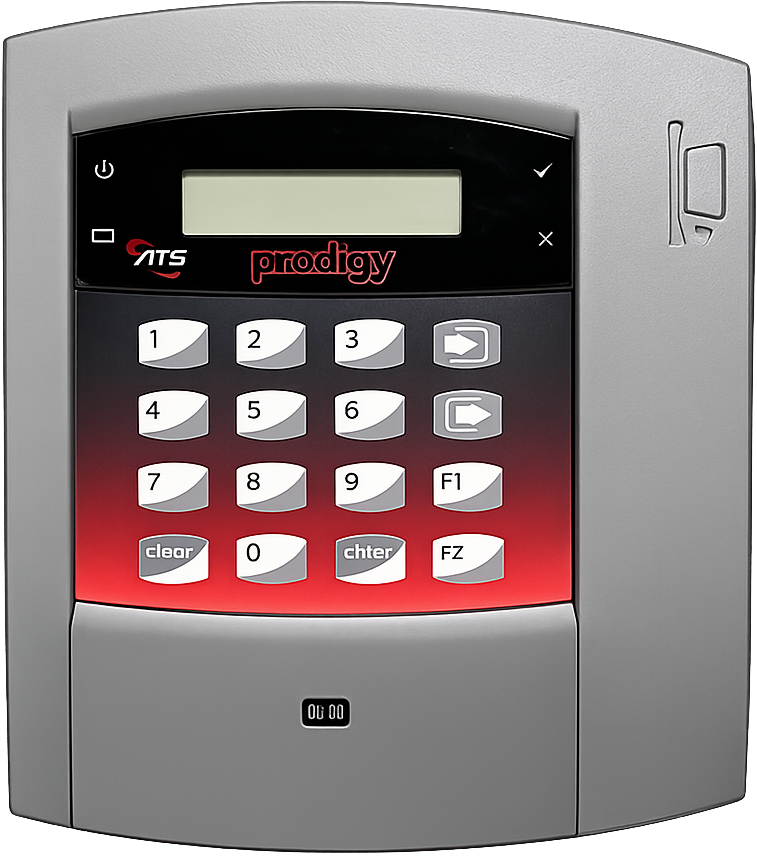
ATS Prodigy Biometric Time Clock Compact. Connected. Cost-Effective.

Secure with the ATS Prodigy Biometric Clock

The ATS Prodigy Biometric Clock isn't just a basic clock. It offers advanced biometric options to protect employee personal information and completely eliminate costly "buddy-punching". Combined with customizable function keys, you can tailor the device to your specific workflow.

  • Biometric Security Optional fingerprint reader ensures 100% attendance accuracy.
  • Programmable Keys 4 software-defined function keys allow for custom inputs like department transfers or job codes.
  • On-Board Diagnostics Built-in diagnostic tools ensure your device stays running smoothly.
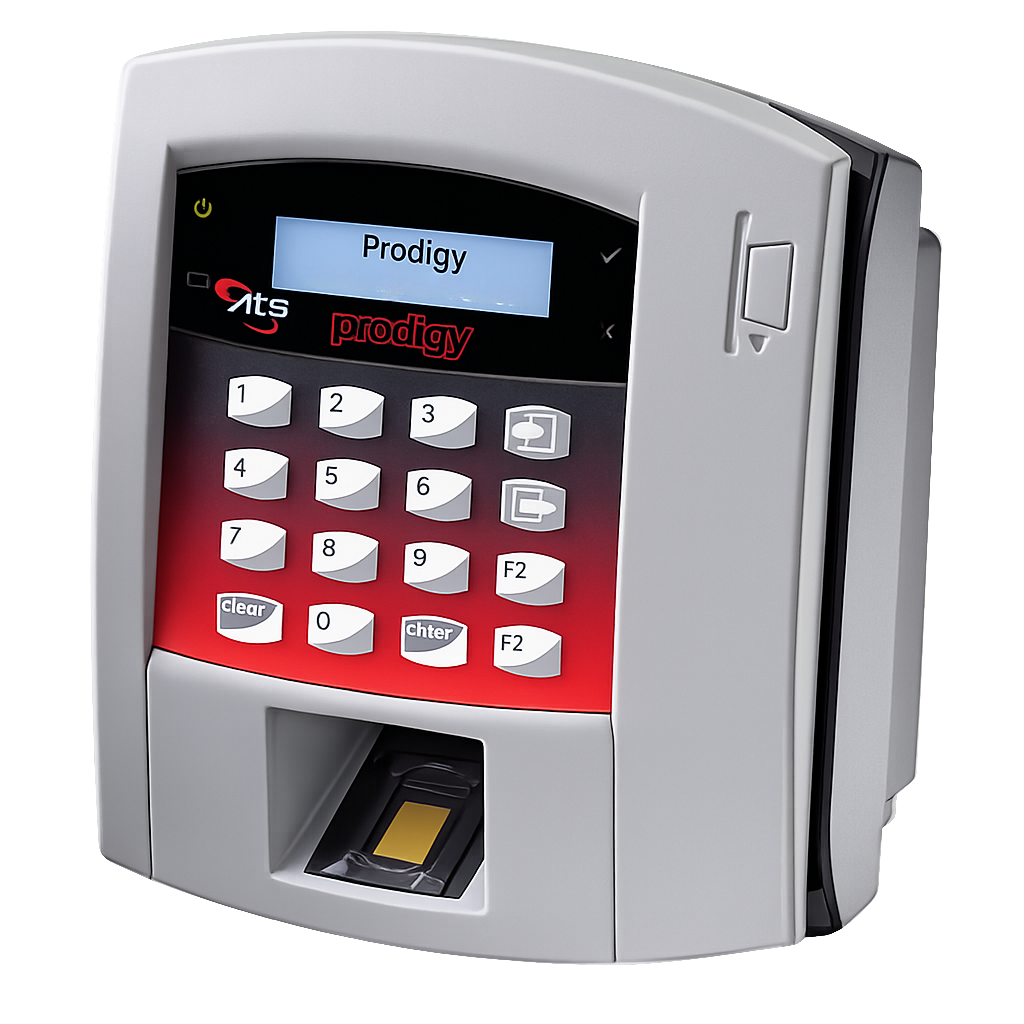
Prodigy Time Clock Angled View

Connectivity & Design

Whether you are in the main office or a remote site, the ATS Prodigy Biometric Clock connects easily. It functions as a true Internet appliance capable of Web Services, supporting both WAN and LAN environments.

  • Power Over Ethernet (PoE) Optional IEEE 802.3af-compliant module eliminates the need for extra power cables.
  • Wireless Options Optional GSM/GPRS modem for locations without hardwired internet.
  • Ergonomic Design Features an angled card slot and high-impact polymer enclosure for durability and ease of use.
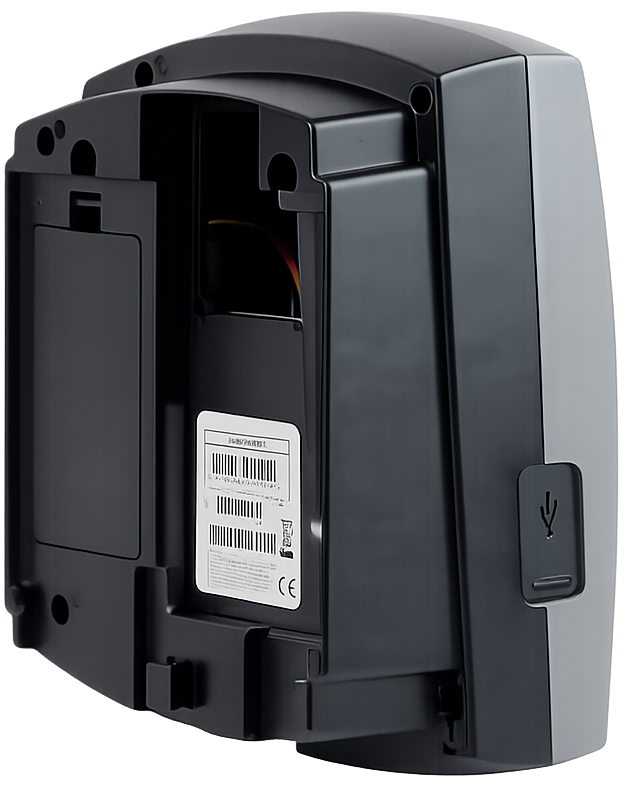
Prodigy Connectivity Features

ATS Prodigy Biometric Clock Specifications

Built on a robust Linux platform with versatile reader options.

Display 128 x 32 pixel LCD
Keypad 16-key tactile 4x4 matrix with 4 programmable function keys
Memory & OS Linux® OS: 32 MB RAM and 32 MB Flash
Power 12 Vdc (Nominal) 1.25A, 15W Max | Optional PoE
Environment Operation: 0° to 50°C (32° to 122°F)
Dimensions 7.25" x 8.40" x 3.80" (8.4cm x 21.3cm x 9.65cm)
Reader Options Biometric (Fingerprint), Barcode, Magnetic Stripe, Proximity (HID® Prox, Mifare™, iClass®)

Upgrade Your Timekeeping

Get the affordable, feature-rich Prodigy™ for your business today.


Comments are closed.